Bingo on a projector: a giant board on any wall
A projector is the cheapest way to get a huge bingo board in a hall, a church basement or a school gym. Bingo Marquee sends a clean, high-contrast board to the projector, and every call lands with a reveal big enough to read from across the room.
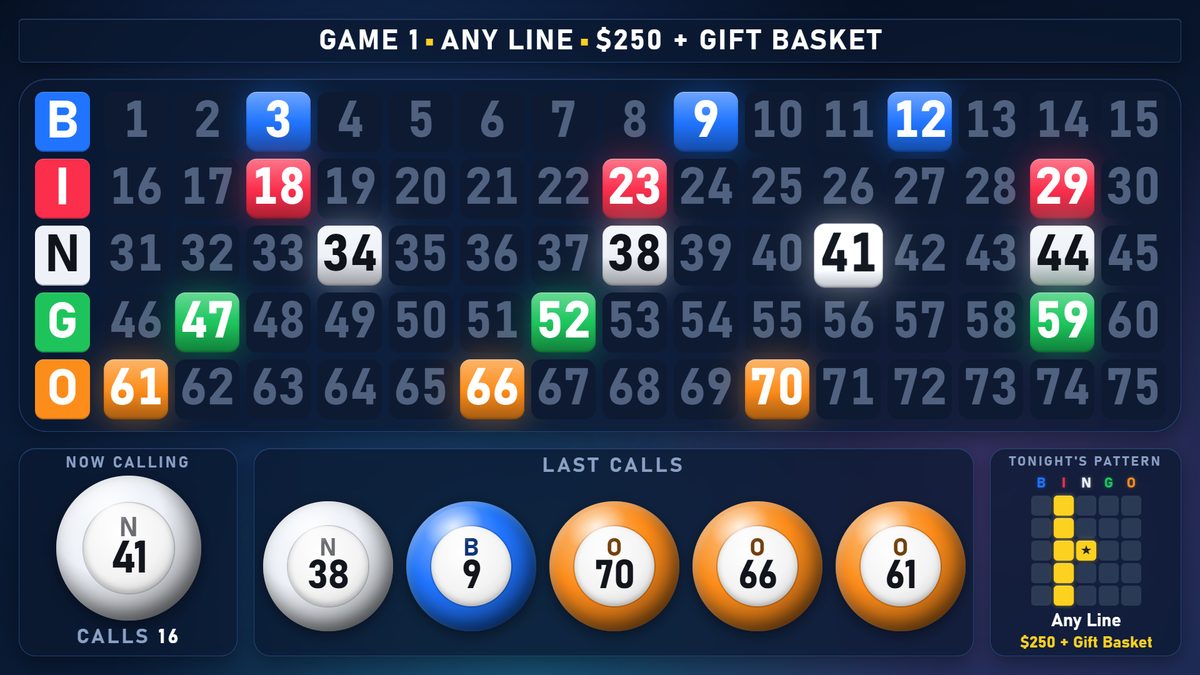
Setting it up
- Connect the projector to the PC with HDMI and choose Extend in Windows display settings.
- Add a screen in Bingo Marquee, choose TV / Projector and pick the projector from the list. The board fills it edge to edge at the projector's own resolution.
- Pick a theme that suits the room. For a bright room, use Easy Read or Arctic: maximum contrast and extra-large numbers. Darker rooms look great with any of the 50 themes.
Tips for projected bingo
- Dim the lights near the screen if you can. Projectors wash out in direct light.
- Use the projector's native resolution (often 1920 × 1080 or 1280 × 800). Bingo Marquee lays the board out for whatever size you give it.
- Pair a projector with a TV near the caller so you can watch the same board without turning around.
Questions
Will an older or lower-resolution projector work?
Yes. The layout adjusts to the screen size, so the numbers stay as large as the space allows.
Can I use a projector and TVs at the same time?
Yes. Each screen is separate, so the projector can show the full board while a TV by the door shows just the current call and last calls.
Try it free for 14 days Buy it for $349
One payment, no subscription. Windows 10 and 11. Works on two PCs.